Guest walks in confused. Walks out with the right cigar and a drink.
Four steps, about ninety seconds, and no staff member has to stop what they're doing.
- 01RecommendEveryone does this
- 02PairOnly us
- 03OrderOnly us
- 04CounterOnly us
Recommend
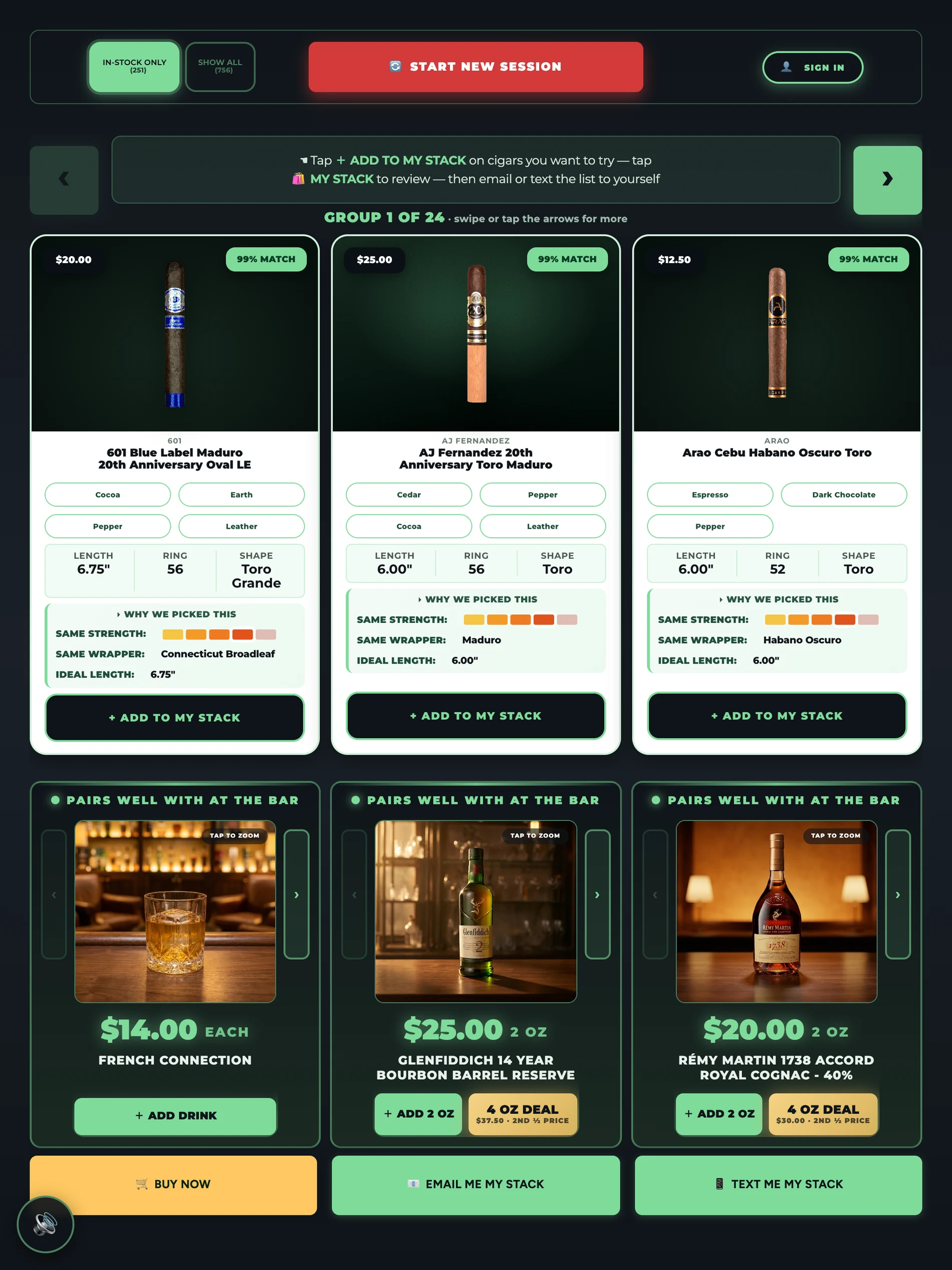
A tobacconist's questions, asked by a screen.
The guest names a cigar they already love and asks for something close to it. Or, if they're not sure, seven quick taps — how long they've smoked, strength, flavored or traditional, shape, length, ring gauge, wrapper.
Stack Finder scores every cigar you have in stock against that on wrapper, strength, body, size, and flavor profile, then explains why each one matched. No jargon wall, no 200-box paralysis.
It leads with what's on your shelf right now, so a cigar that sold out this afternoon drops out of the default view this afternoon. A guest can still open up the full range — and ask to be told when something out of stock comes back.
Pair
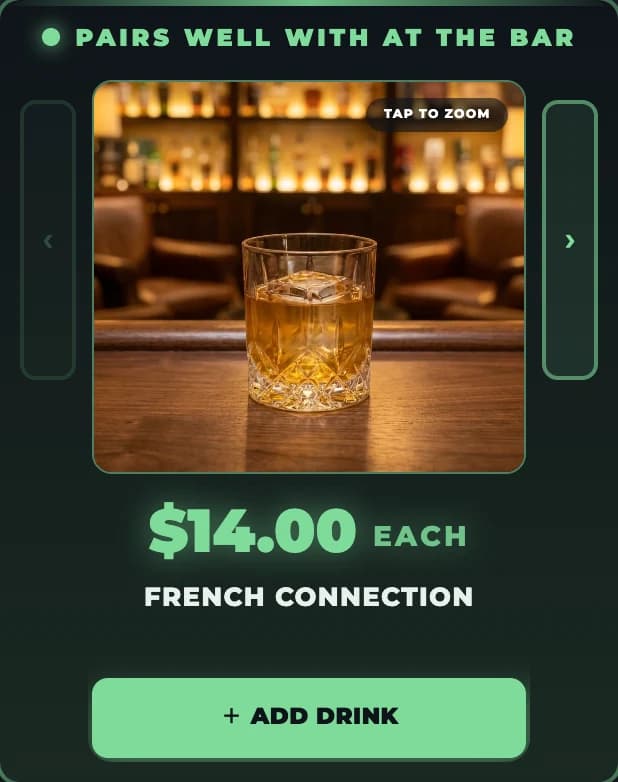
The pour that goes with it — from the bottles open tonight.
Once the cigar is chosen, Stack Finder looks at what's actually behind your bar and suggests the drink to go with it, at your pour price.
This is the step no other kiosk in the cigar business has. For a lounge that pours, it turns a $12 sale into a $28 one without anybody upselling.
Pairings come from your real bottle inventory, not a printed chart. If the Zacapa is empty, it won't be suggested.
Order
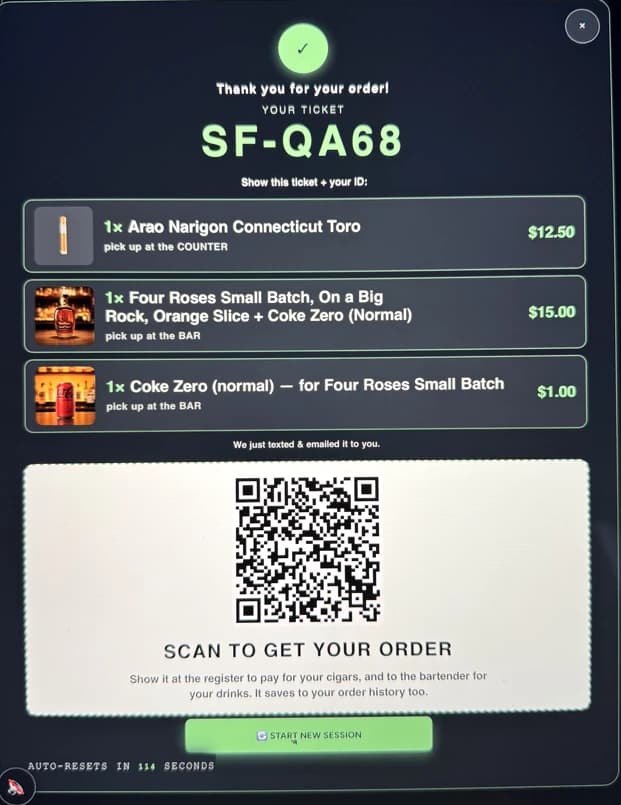
One tap, an email address, and it's on your register.
The guest taps to order and leaves an email address. That is the entire sign-up — no app to install, no password to invent, and no payment details entered on a shared screen in the middle of your lounge.
If they're at home instead of in your lounge, the same engine runs on their phone and the order comes to you as a pickup or a delivery.
Card details are never entered at the kiosk. Payment happens where it always has — at your register, with your staff.
Counter
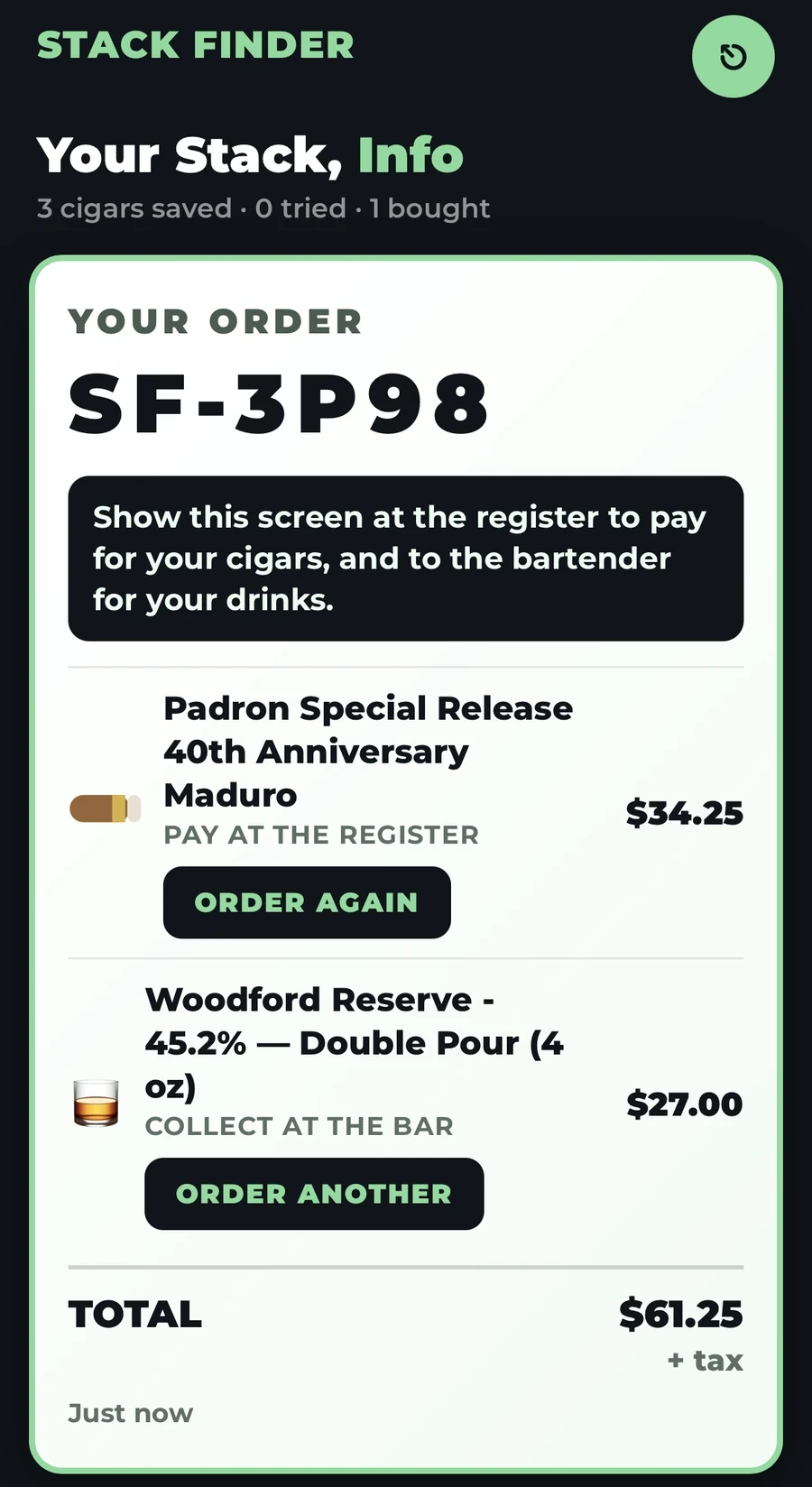
The ticket is waiting before they finish standing up.
The order lands parked on your POS with the cigar and the pour already on it. Your staff pulls it up, confirms, takes payment.
That's the entire change to your operation. No new terminal, no separate system to reconcile at close, no second inventory to keep straight.
Parked sales land in the POS you already run. Your end-of-day reconciles exactly as it does now.
Three things that make the difference.
Live inventory, not a monthly file
The kiosk reads your POS stock continuously. Nothing is recommended that you can't hand over in the next thirty seconds.
Your bar is part of the system
Spirits aren't an afterthought bolted on. The pairing engine runs off the same live stock data as the cigars.
It ends in a ticket
A recommendation that doesn't reach your register is marketing. One that lands parked on your POS is revenue.
Ninety seconds is easier to watch than read.
See the whole flow run start to finish on a real lounge's inventory.